Top 5 Salesforce Chrome Extensions You Should Be Using in 2023
December 12, 2022 0
A recent Salesforce study unveiled that companies across the globe save an average of 25% on IT costs using Salesforce. With that said, Salesforce also helps businesses reduce their expenditure on sales, service, and marketing by streamlining everything on a unified platform.
Professionals working in the Salesforce environment constantly need to improve Salesforce capabilities to boost their efficiency and productivity. Today, we are going to share with you the top Salesforce Chrome extensions that will help you in 2023. Besides, these extensions can easily be downloaded directly from the Google Chrome browser.
1. Salesforce Inspector
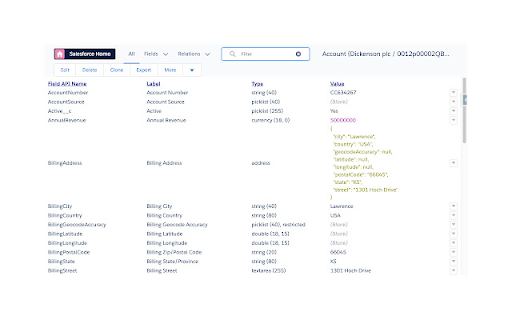
It is a productivity tool for Salesforce administrators and developers that enables them to inspect metadata as well as data directly from the Salesforce UI.
It helps improve the Salesforce configuration, development, and integration capabilities of the platform. In addition, it enables users to access field API names, export data, and navigate through related records and objects with ease.
2. Salesforce Navigator for Lightning
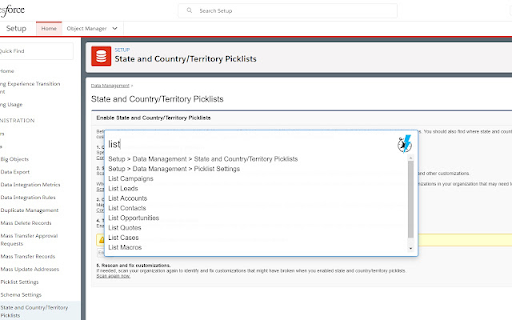
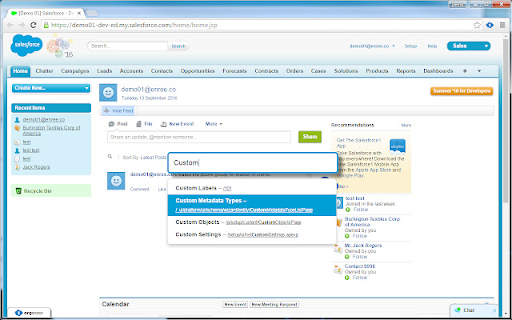
This Chrome extension helps users add or search records and create tasks easily. You can find any Salesforce page quickly by simply typing in what you need. As the name suggests, this plug-in tool is quite handy when it comes to navigating within the vast Salesforce platform.
3. Salesforce Advanced Code Searcher
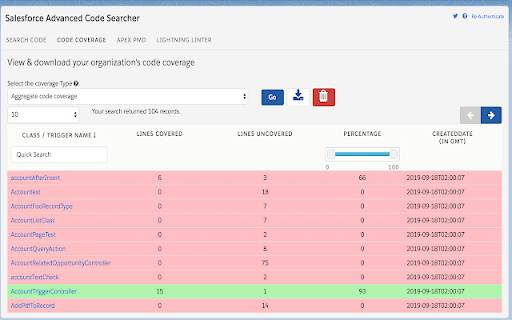
This simple extension tool allows users to search the code component on their Salesforce instance, such as Apex Triggers, Apex Classes, Visualforce components, Visualforce Pages, and Lightning component.
It also enables users to find any strings in their codes. You just have to begin by embedding the extension in the setup page, authorizing it, and then you can start using it.
4. Salesforce DevTools
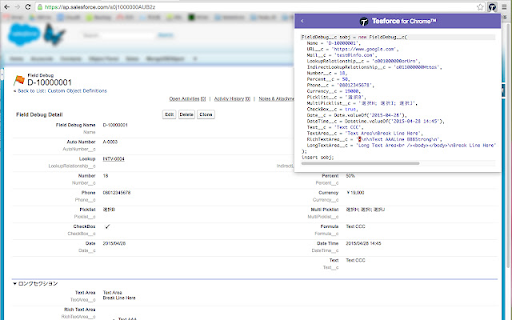
This powerful Chrome extension is home to all Salesforce developer tools, including Query Editor, Fields definition, ERDs, Page layouts, and more.
It helps generate Apex Code and export query results to Excel files. Additionally, users can also display field API names on the Salesforce object detail page.
5. ORGanizer for Salesforce
With this extension, you no longer have to remember your Salesforce.com username and password. In addition, staff members can also recognize Salesforce tabs on their browsers. You can set dedicated labels, colors, and links for easy navigation in the Salesforce platform.
Wrap Up
We hope that you liked this insightful blog. In case you are wondering, CloudMetic Solutions can assist you with an error-free Salesforce Sales Cloud implementation. Our skilled Salesforce developers have the right experience and knowledge to take your business to the next level. Click here if you want to schedule a personalized demo call.